
This process can also be found in the Midterm Security Guide – Instructor (2026) available under the Instructor Resources block available in your course. Details on accessing the hub can be found between Page 5 & 6.
Navigate through your course to find the midterm, e.g. the Start [COURSE NAME] Midterm Examination activity. Assessments may be named differently in accordance with the course number that you are teaching. Click on Start Midterm Examination to open the YouTestMe Proctoring Hub:

The Proctoring Hub screen from YouTestMe will open:
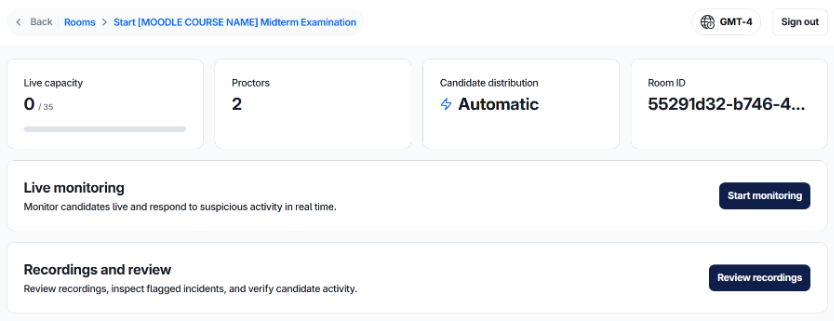
You will be brought to the main course room that will allow you to either conduct live monitoring of the Midterm or review recordings that have been completed.
By clicking on “Review Recordings”, you will be able review a dashboard that provides various information such as:
- Completion rates
- Average Integrity Scores
- Review Progress
- Total list of incidents and their severity
- Integrity Score distributions
- Review Outcomes